
Download Geonext – Free Geometry Learning Tool for Students
Overview
Geonext is a free and open-source mobile application designed to support students in mastering geometry through interactive, graphical learning. The app aims to reduce the cognitive load associated with traditional geometric problem-solving by eliminating the need for manual drawing. Instead, it leverages visual tools to help learners explore and understand geometric concepts dynamically. This approach is particularly beneficial for students who have historically found geometry challenging or intimidating.
Targeted at secondary and early tertiary education levels, Geonext serves as a digital companion for math curricula that emphasize spatial reasoning and geometric construction. Its design fosters engagement by transforming abstract ideas into tangible, interactive experiences. The application supports a range of real-world use cases, including classroom instruction, homework assistance, and self-paced learning at home. It is especially valuable in educational environments where access to physical tools like compasses and rulers is limited.
As an open-source project, Geonext reflects a commitment to inclusivity and collaborative development. The developer did not provide additional technical details about the organization behind the app. However, its long-standing presence since 2009 indicates a stable and community-supported foundation. In the broader app ecosystem, Geonext occupies a niche as a specialized educational utility, offering a sustainable alternative to commercial geometry software.
Key Features & Functionality
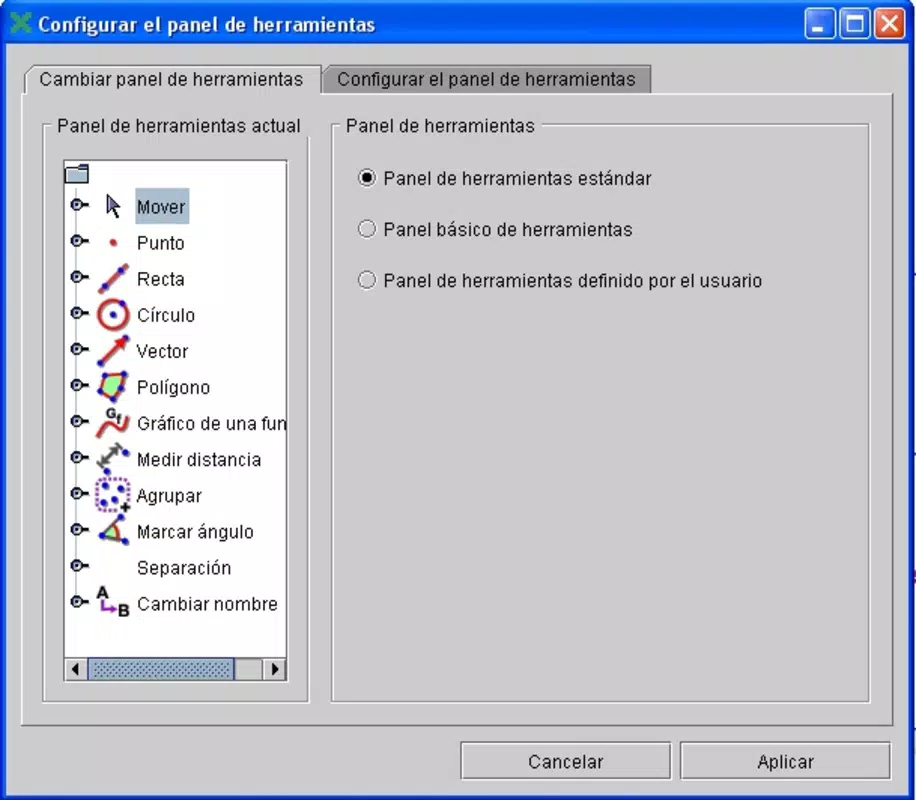
- User-Friendly Interface: Geonext organizes its tools into clearly labeled toolbars, allowing students to access essential functions without confusion. The layout is intuitive, minimizing the learning curve for new users and enabling quick navigation during study sessions.
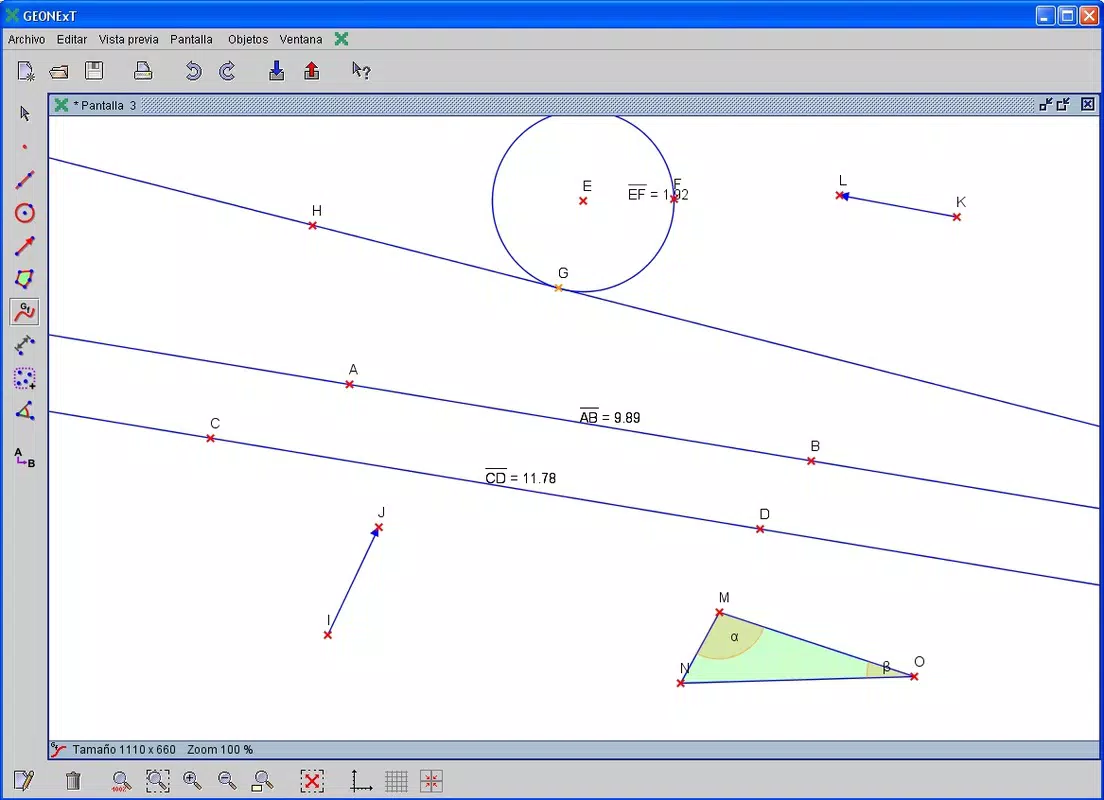
- Graphical Learning Tools: The app’s core functionality centers on visual representation. Users can construct geometric figures such as triangles, circles, and polygons by manipulating points and lines on a digital canvas. This hands-on interaction supports deeper conceptual understanding compared to static textbook diagrams.
- Free and Open Source: As a free application, Geonext removes financial barriers to access. Its open-source nature means that educators and developers can inspect, modify, and distribute the code, promoting transparency and continuous improvement.
- Stimulating Geometry Learning: By presenting geometry in an interactive format, Geonext helps rekindle interest in mathematics. Students can experiment with geometric transformations, explore symmetry, and test hypotheses in real time, making the subject more engaging and less abstract.
For example, a student struggling with the concept of angle bisectors can use the app to construct a triangle, apply the bisector tool, and immediately observe how the angle splits into two equal parts. This immediate visual feedback reinforces learning and builds confidence.
Interface, UX & Performance
Geonext features a clean, minimalist interface that prioritizes functionality over visual flair. The layout places essential tools within easy reach, with dedicated toolbars for constructions, measurements, and transformations. Navigation is straightforward, relying on tap-based interactions and clear visual cues to guide users through each step.
The app’s responsiveness is consistent across various device categories, though the developer did not list formal performance metrics. Users can expect smooth interactions when constructing basic shapes and performing standard geometric operations. Stability appears reliable, with no reported issues related to crashes or freezes in public documentation.
Although the developer did not specify minimum OS requirements or compatibility details, the app is designed to function on standard smartphone hardware. The visual clarity of the canvas ensures that geometric figures remain legible on both small and large screens. Overall, the user experience is optimized for educational use, focusing on clarity and ease of access rather than advanced animations or multimedia elements.
Platform Compatibility & Technical Requirements
Geonext is available on Android and iOS platforms. The latest version of the app is 2.0.1, with a file size of 12.4 MB. The developer did not specify minimum OS requirements or device compatibility details.
Given its lightweight size, the app is suitable for older smartphones and tablets with limited storage. It does not require high-end hardware, making it accessible to a broad range of users. However, compatibility information was not fully disclosed, so users should verify system requirements before installation.
Pros and Cons
Pros
- Free and open-source—accessible to all students regardless of financial background.
- Intuitive interface designed for educational use and easy navigation.
- Graphical tools enhance understanding of abstract geometric concepts.
- Encourages interactive, hands-on learning without the need for physical drawing tools.
- Lightweight file size ensures compatibility with older devices.
Cons
- Specific system requirements were not listed by the developer.
- Limited information on update frequency or future development plans.
- No built-in tutorials or guided learning paths for beginners.
- May lack advanced features found in commercial geometry software.
- Interface design is minimal, which may not appeal to users seeking modern visual polish.
FAQ
Is Geonext safe to download and install?
Yes, Geonext is a free and open-source application that has been available since 2009. It does not require excessive permissions and is distributed through trusted educational channels. Users should ensure they download the app from official sources to maintain security.
Can I use Geonext on both Android and iOS?
Yes, the app is compatible with both Android and iOS platforms. However, the developer did not provide detailed information on specific OS versions or device compatibility.
Is Geonext updated regularly?
While the app’s latest version is 2.0.1, the developer did not disclose update frequency or release schedules. The long-standing presence of the app suggests ongoing maintenance, but users should monitor official channels for the latest releases.
Do I need an internet connection to use Geonext?
No, Geonext functions entirely offline. All tools and features are available without requiring an internet connection, making it ideal for classroom use or areas with limited connectivity.
Is Geonext suitable for teachers and classroom use?
Yes, Geonext can be a valuable tool for educators. Its visual and interactive nature supports dynamic classroom demonstrations and student-led exploration. It is especially useful in math lessons focused on geometric construction and spatial reasoning.
Final Thoughts
Geonext stands out as a dedicated, accessible tool for students navigating the challenges of geometry. Its emphasis on graphical learning, combined with a clean interface and open-source model, makes it a reliable choice for learners and educators alike. While it lacks advanced features and formal tutorial guidance, its core functionality delivers real educational value. The app’s lightweight design and offline capabilities further enhance its practicality in diverse learning environments.
For students who struggle with traditional geometry methods, Geonext offers a refreshing, interactive alternative. Teachers seeking affordable, effective digital tools will also find it a compelling option. With no cost and a strong foundation in educational principles, it represents a meaningful contribution to open educational resources.
Download Geonext now


